
Short answer: An OBD2 scanner for ABS and SRS work should be judged by the exact functions documented for the tool, not by a generic promise of full vehicle coverage. The Tooltopdon listing describes a five-inch TOPDON scanner with four-system access, AutoVIN, up to four graphic live-data streams and report handling. TOPDON's manual requires the ignition to be off when the cable is connected or disconnected and tells users to consult the vehicle service manual. Before ordering in the UK, confirm the model variant, connector arrangement, supported system and any reset requirement with the seller or manufacturer; do not assume that reading a code explains the root cause.
UK buying checklist for ABS and SRS use
The current listing is a retail description of a TOPDON OBD2 scanner. It names ABS and SRS in the four-system scope and gives practical workflow details such as a 5-inch touchscreen, AutoVIN, 32GB ROM, up to four graphic live-data streams and report sharing. Before ordering, turn those statements into questions about the exact variant and vehicle rather than treating them as blanket compatibility.
| Check before ordering | Why it matters | Evidence available here |
|---|---|---|
| Exact model and variant | Retail and official names must refer to the same item | Retail listing says AD500-A; TOPDON material says ArtiDiag500 |
| Required system | ABS, SRS, engine and transmission access are not interchangeable | The listing names all four systems |
| Physical connection | The cable and vehicle data-link connection must be suitable | The manual describes an OBD-II diagnostic cable; confirm the vehicle |
| Required result | Reading a code, viewing data and performing a reset are different tasks | Confirm the exact function with the seller or manufacturer |
Prepare a controlled first connection
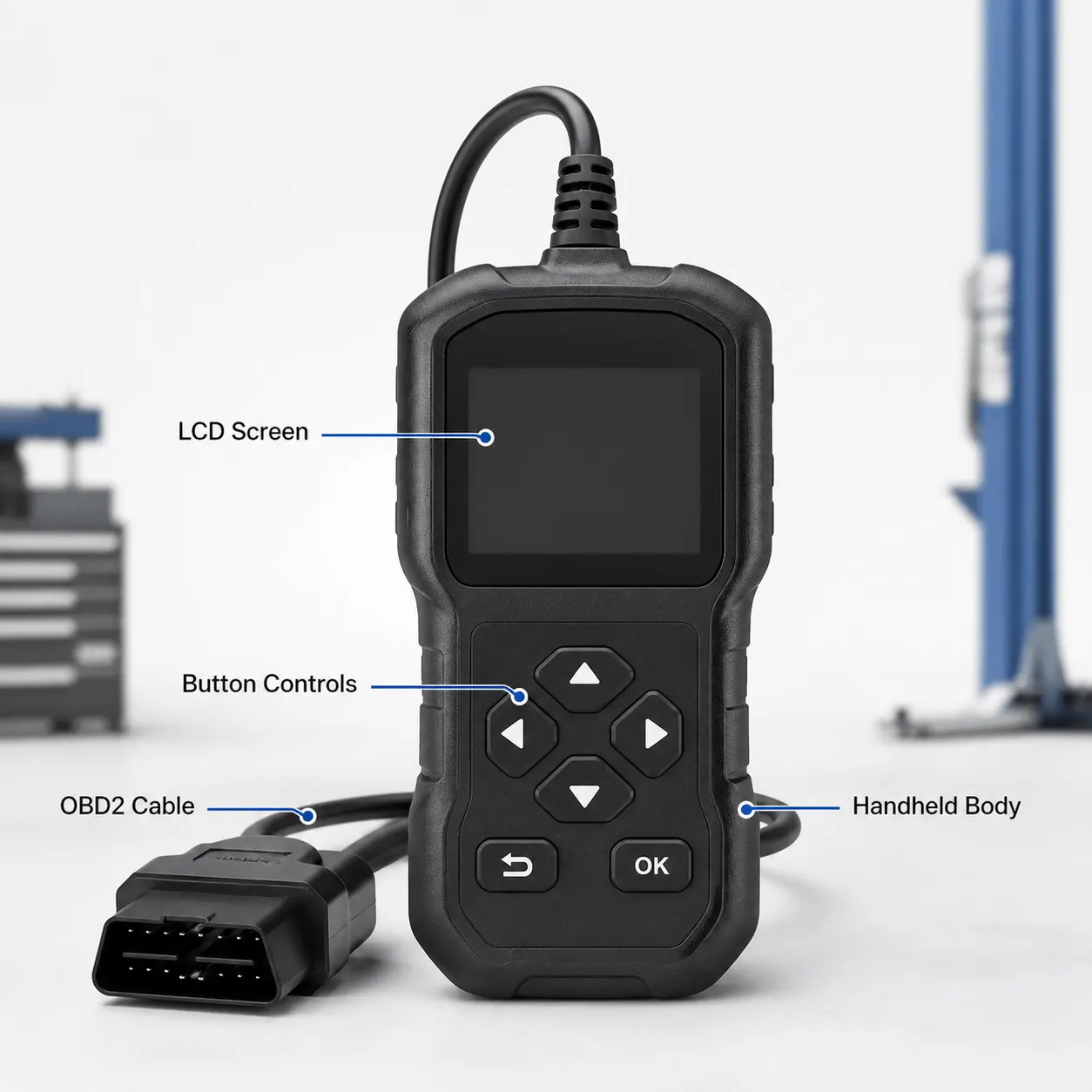
TOPDON's manual describes a supplied OBD-II diagnostic cable and says to keep the ignition off before plugging in the unit. The same manual says to consult the vehicle service manual before a test or service procedure. These instructions are a safer starting point than copying a generic online sequence, especially when the warning involves brakes or occupant protection.
- Identify the vehicle, warning light and system you intend to inspect.
- Read the vehicle service manual and the applicable TOPDON instructions.
- Switch the ignition off before connecting the diagnostic cable.
- Select the documented system, save the displayed information and stop if communication or application details do not match.
- Disconnect only with the ignition off and keep the record for the next diagnostic decision.
What the workflow features can and cannot do
AutoVIN can reduce manual vehicle selection when it works with the application, while graphic live data and saved reports can make observations easier to review. The retailer page describes these features, but it does not establish that every vehicle exposes the same data or that every warning can be reset. A report is evidence to discuss with a repairer, not a certificate of roadworthiness.
Limits and safety boundaries for UK buyers
The current materials do not establish universal ABS or SRS compatibility, a guaranteed model-year range, a connector outcome, a reset result, an update time or a repair diagnosis. Do not drive while operating the tool, do not clear a warning merely to make the dashboard look normal and do not disturb airbag or braking components from a blog guide. Confirm unresolved application questions with the seller or TOPDON and use qualified repair support for safety-critical faults.
Related guides and product details
Order only after the exact TOPDON variant, vehicle application and required ABS or SRS task have been confirmed in writing. Read Car Diagnostic Scanner for an Airbag Light: Safe Checks for related guidance. Read Engine, ABS, SRS and Transmission Scanner: What to Compare for related guidance. Review the documented specification on the TOPDON OBD2 diagnostic scanner (AD500-A listing) product page before ordering.
Sources and safety context
- Supports the retail product name, four-system scope, AutoVIN, live-data, screen, storage and report descriptions Current Tooltopdon product page.
- Supports the OBD-II cable, ignition-off connection, service-manual and no-driving safety instructions TOPDON ArtiDiag500 User Manual.
- Provides the manufacturer's model naming and high-level four-system context for comparison with the retailer listing TOPDON ArtiDiag500 official product page.